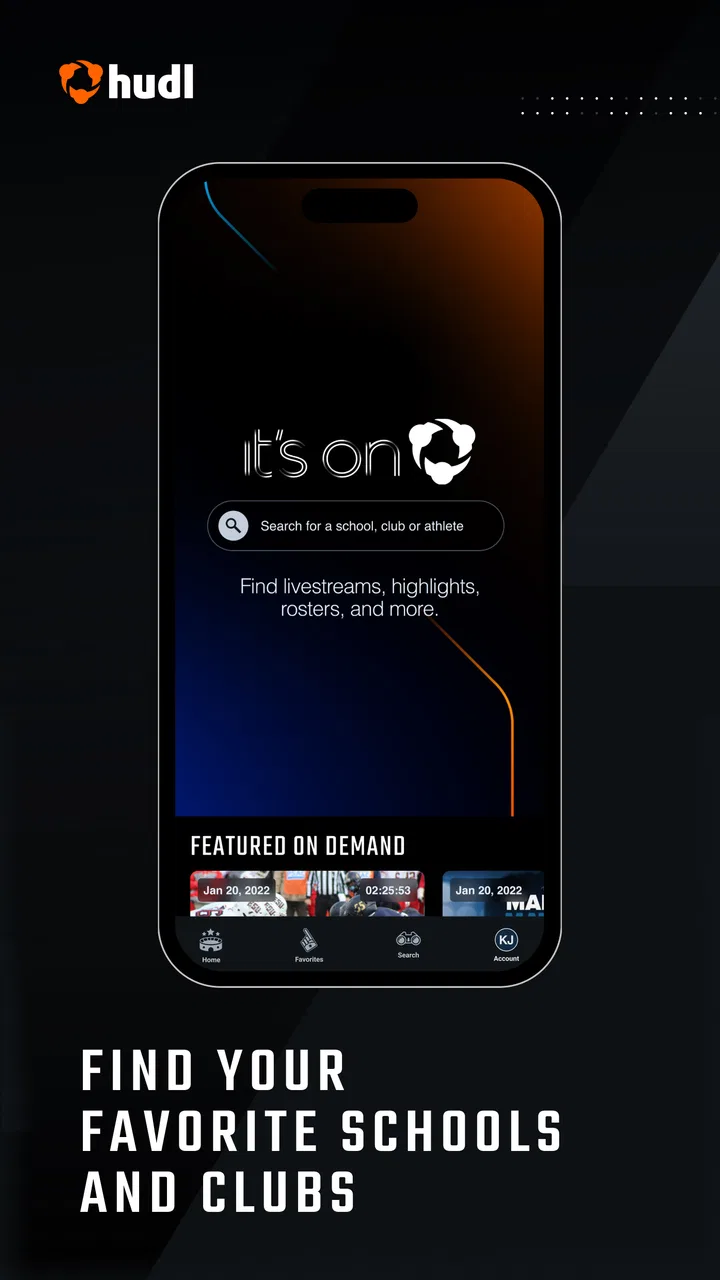
Hudl Fan: Find, Watch, Follow.
- 2.5
- Rating
- 100.00K
- Installs
- Free
- Price

 Analysis by App-foxy
I approached Hudl Fan as a sports companion rather than a general social network or a replacement for every team’s official channel. Its purpose is straightforward: help fans find teams, follow scores, and watch available streams in one place. That sounds simple, but the value depends heavily on whether the teams and competitions you care about are represented and how consistently their updates appear.
After spending time with it, my impression is that the app is most useful when you already have a specific school, club, or competition in mind. It gives you a focused place to check what is happening instead of jumping between a team website, a social account, a streaming page, and a separate score service. I would recommend it to a fan who follows several teams connected to Hudl’s sports ecosystem, while I would be more cautious if you only want broad professional-sports coverage.
Finding the right teams without turning game day into a search project
The first practical question is not whether the app looks polished; it is whether it can bring your teams into a convenient routine. Hudl Fan is developed by Hudl, Inc., and its sports focus is clear from the way the experience centers on teams, scores, and streams. I found that the app makes more sense when used as a personal watchlist for the teams you already follow, not as a place to browse aimlessly.
You May Also Like

 Pandora - Music & Podcasts
Pandora’s Music Is Easy to Start, but Harder to Recover
Pandora’s strength is its low-effort path from a seed to a station. Its weak spot is how much confidence it asks you to place in connection, setup, and quiet recovery.

 AccuWeather: Weather Radar
AccuWeather Review: A Quick, Clear Forecast for Everyday Decisions
For everyday plans, the best forecast is the one you can understand quickly. AccuWeather makes rain timing, radar, and local conditions easy to act on, with a few trade-offs.

 Hill Climb Racing
Why Hill Climb Racing Still Turns Crashes Into One More Run
A tiny car, a bumpy hill and one more upgrade: Hill Climb Racing keeps resurfacing because its simple chaos makes every near-miss feel personal.

 AliExpress - Shopping App
AliExpress Makes Global Shopping Feel Personal, but Shoppers Bear the Risk
AliExpress turns a global marketplace into a pocket-sized discovery engine. Its reach is useful, its shopping loop compelling, and its trade-offs easy to miss.

 Lords Mobile: Kingdom Wars
Lords Mobile Is a Kingdom-Building Routine, Not a Quick Match
A case-by-case verdict on the building, battles, device demands, and social commitments that make Lords Mobile rewarding for some players and exhausting for others.

 PDF Scanner app - TapScanner
TapScanner Makes Paperwork Easier to Capture, Check, and Share
TapScanner makes scanning with a phone feel less like a rescue operation and more like a dependable step in getting work done. Its capture tools are useful, though not flawless.
More From Our News Desk
View All News


A useful setup habit is to begin with the teams you would genuinely check during a busy week. Adding every vaguely interesting team can make the experience less helpful because the important event becomes harder to notice among everything else. I prefer a small, deliberate selection: a child’s school team, a local club, or a favorite squad whose matches I cannot always attend in person.
That approach also exposes one of the app’s main trade-offs. A dedicated sports app can reduce switching, but it cannot guarantee that every team or event a fan wants will be present in the same way. If your interests are spread across many unrelated leagues, the usual combination of official team apps, league services, and a broad scores app may still cover more ground.
The app is free, which removes the main barrier to trying it. Its content rating is Everyone, so it is suitable for a broad audience from a rating perspective. I still think parents should treat it as a sports viewing tool and check the specific team or stream context before handing it to a younger child, particularly when the device is being used during a long event or shared by the family.
What the score-and-stream combination changes
Scores and video serve different needs. A score update answers a quick question: is the team winning, losing, or still playing? A stream asks for more attention and a stronger connection because you are watching rather than checking. Having both ideas close together is convenient, but I would not assume that every score automatically comes with a live video option. The practical experience depends on what has been made available for that particular event.
This is where Hudl Fan can be more useful than a plain score tracker. If I am waiting for a match to start, I can use the score area for orientation and then look for viewing access when it is available. That is a better workflow than opening a separate streaming service just to discover whether the event is covered. The limitation is that the app’s usefulness can vary from one team or competition to another.
For a supporter who attends games, the app can act as a backup rather than the main viewing method. I might use it to keep an eye on another match while traveling home, or to see whether a delayed event has started. For someone who rarely attends in person, it may become the primary way to stay connected, but only if the teams they follow make regular use of the relevant publishing and streaming tools.
A realistic weekday game-day routine
Imagine a parent leaving work while a school match is already underway. There is no time to search through several pages, and calling someone in the stands is inconvenient. Opening Hudl Fan, checking the selected team, and looking for the current event is a sensible first step. If a stream is available, the same app may take the parent from a quick score check into live viewing. If not, the score still provides a faster answer than waiting for a message.
The important detail is to use the app before the rush begins. I would select the teams I care about while I have time, confirm that their events appear as expected, and avoid making the first setup attempt five minutes before kickoff. That small preparation turns the app from a search tool into a practical game-day shortcut.
Another good use case is a family with several athletes in different programs. One person may be playing while another is competing elsewhere, and the fan cannot be physically present at both locations. A centralized sports view can reduce the mental load of remembering separate destinations. It will not solve every coverage gap, but it gives the family a reasonable place to start.
How it feels under pressure, and where the limits show
When a match matters, I care less about a polished first impression than whether I can reach the team and event I need without getting stuck. I’d test that route during an ordinary game before relying on it for a final, and keep a score check as my fallback if watching becomes inconvenient. That pressure test also helps clarify which limits are about the app’s role and which come from the viewing situation itself.
Speed expectations during ordinary use
Hudl Fan is the kind of app where perceived speed is shaped by more than the interface. A score page can feel immediate when the relevant information is already available, while a stream naturally depends on the connection and the event itself. I would judge the app by how quickly it gets me to the right team or match, not by expecting every video to begin instantly in every situation.
For quick checks, the most efficient habit is to avoid browsing through unrelated content. Go directly to the teams you follow, then use the event information as your starting point. This reduces unnecessary navigation and makes the app feel more responsive in real life, especially when you are checking a score with one hand while doing something else.
When I want to watch, I give the stream a little more patience than I would give a static score. Video startup has more moving parts, and a weak mobile connection can make any streaming app feel slow. If the score is the urgent information, I check that first and treat the stream as a second step. That simple priority keeps a delayed video from making the whole app seem unusable.
Heavy-use moments: streams, busy schedules, and repeated checks
The demanding scenario is not opening the app once; it is returning repeatedly during a busy slate of matches or leaving a stream open for a long period. That is when network quality, screen activity, and the phone’s available resources matter more than the basic menu layout. I would expect a video session to place more demand on a device than a quick score lookup, so anyone trying to conserve battery or mobile data should use the score view when watching is not essential.
This is also where a practical trade-off appears. Hudl Fan can reduce app switching, but a single app that combines several sports tasks may become your main active screen for longer. On a newer phone with a reliable connection, that is convenient. On an older or heavily loaded device, I would keep other demanding apps closed and avoid unnecessary background activity while watching.
If you are attending a tournament with multiple games, I would not leave every event page open or repeatedly reload the same screen. Check the schedule or score, move to the next relevant event, and return to video only when you actually intend to watch. That workflow is less wasteful and makes it easier to tell whether a problem comes from the app, the network, or simply an event that is not currently streaming.
Reliability is more than a successful launch
An app can open correctly and still be frustrating if the information you need is difficult to locate. Hudl Fan’s reliability, from a fan’s perspective, includes keeping the path from a followed team to its event understandable. It also includes recovering gracefully when a connection changes, because game-day use often happens in cars, gyms, school buildings, and crowded venues rather than in ideal home Wi-Fi conditions.
My advice is to test your important teams ahead of time. Do not wait until the championship match to discover that you selected a similarly named team or that the event is organized differently from what you expected. A short pre-check gives you a chance to learn the app’s structure and decide whether it is dependable enough for your particular sports routine.
Recovery matters especially for streams. If playback stops, I would first check the connection and return to the event rather than repeatedly tapping every control. If the score is the priority, switch back to that view and use the video only when the connection is stable. This is not a glamorous feature, but it is a better real-world strategy than treating a temporary interruption as proof that the entire service has failed.
The public reception is mixed, with an average rating of 2.6 from around 230 ratings and roughly 101 written reviews. I see that as a reason to keep expectations practical rather than as a complete verdict on every device or team. Ratings can reflect different sports, events, phones, and network conditions. Still, the figure suggests that a prospective user should try the app with their own teams before relying on it for an important event.
Device constraints and the Android version to watch
The current release is version 2.29.0, and it requires Android 10 or newer. That requirement is important for anyone using an older phone, a hand-me-down device, or a low-cost model that has not kept up with system updates. Before planning to use it at a major game, I would check the Android version first. An app that cannot be installed is a more decisive limitation than any interface complaint.
On compatible phones, the device still affects the experience. A small amount of free storage, an overloaded system, or an unstable wireless connection can make video viewing less comfortable. I would use a stable connection where possible, keep the phone charged for long streams, and avoid assuming that a mobile data plan will handle extended viewing without consequences. Those are general viewing precautions, but they matter more when the app’s central appeal includes streams.
Screen size also changes the best use. A phone is excellent for checking a score while moving around, but a larger display is more comfortable for watching a full event. If I were choosing between Hudl Fan on a compact phone and a dedicated viewing setup, I would use the phone for quick updates and choose the larger screen for a long match whenever that option was available.
I would also distinguish between compatibility and comfort. Meeting the Android 10 minimum makes installation possible, but it does not guarantee that every older compatible device will feel equally smooth during video playback. Fans with an aging phone should test a short viewing session before depending on it for a full game. That is a sensible way to discover whether the device, connection, and app work well together.
Who should use it, and who should choose something else?
Hudl Fan is a good fit for fans whose teams are already connected to the Hudl environment and who want one sports-focused place for team discovery, scores, and available streams. It is particularly appealing to families following school or club sports, supporters who cannot attend every game, and people who are tired of searching across several team-specific pages.
I would be less enthusiastic about it for someone who mainly follows major professional leagues and expects a universal scoreboard with complete coverage. A broad sports scores app may be better for that person because its central job is wide competition coverage. Likewise, an official league or team app may be preferable when you need detailed standings, ticketing, news, or other specialized information that sits outside Hudl Fan’s core purpose.
There is also a case for choosing a direct streaming service instead. If your only goal is watching a particular competition on a large screen, a platform built around that competition may offer a more focused viewing experience. Hudl Fan’s advantage is convenience across the fan journey, not necessarily being the strongest specialist tool in every individual category.
My performance verdict after weighing convenience against friction
Hudl Fan succeeds when I treat it as a focused team-following hub. The best experience comes from selecting relevant teams in advance, using scores for quick checks, and moving into streams only when the event and connection support it. That workflow feels more sensible than expecting the app to replace every sports service at once.
Its free price makes experimentation easy, and the Everyone rating keeps the audience broad. The Android 10 minimum is the main device checkpoint, while the mixed average rating tells me to test the experience with the teams I actually care about. I would not make a major viewing plan based solely on the app until I had confirmed that those teams appear reliably and that their events fit my expectations.
My honest recommendation is to try Hudl Fan as a companion for local, school, club, or Hudl-connected sports rather than as a universal sports destination. For quick score checks and a convenient route to available streams, it can simplify game day. For complete league coverage, advanced competition information, or a dedicated big-screen viewing experience, another specialized option may serve you better.
In short, the app’s performance story is about sensible expectations. Quick information should be the lightest use, while long streams deserve attention to connection, battery, and device age. Prepare your teams before the event, keep a fallback in mind for important matches, and judge the app by the sports you follow rather than by the promise of a single all-purpose solution. That is how I would use Hudl Fan: as a practical shortcut for staying close to selected teams, with enough flexibility to be useful but not enough coverage to replace every sports tool.
FAQs for Hudl Fan: Find, Watch, Follow.
01What is Hudl Fan and what can I do with it?
Hudl Fan is a sports app designed to enhance the experience of following your favorite teams and athletes. With Hudl Fan, you can find and watch game highlights, follow teams for updates, and engage with communities of fellow fans. It's a hub for sports enthusiasts wanting to stay connected to their teams.
02Is Hudl Fan available for both Android and iOS?
Yes, Hudl Fan is available for download on both Android and iOS platforms. You can find it on the Google Play Store for Android devices and the Apple App Store for iOS devices, ensuring a seamless experience across different operating systems.
03Are there any costs associated with using Hudl Fan?
Hudl Fan is free to download and use, providing access to a wide range of features at no cost. However, some premium features or content might require in-app purchases or subscriptions, offering enhanced experiences and exclusive content for dedicated users.
04How do I follow my favorite teams on Hudl Fan?
Following your favorite teams on Hudl Fan is simple. Once you download the app, you can search for teams or athletes by name and select the 'Follow' option. This allows you to receive notifications and updates on their latest games, highlights, and news.
05Can I interact with other fans on Hudl Fan?
Yes, Hudl Fan encourages community interaction by allowing users to engage with fellow fans. You can comment on highlights, participate in discussions, and share your thoughts on games, creating a vibrant community atmosphere within the app.
Pros
- Easy to navigate user interface.
- High-quality video streaming.
- Comprehensive sports coverage.
- Real-time updates and scores.
- Customizable notifications.
Cons
- Limited offline viewing options.
- Subscription required for some features.
- Occasional ads interrupt viewing.
- Requires stable internet connection.
- Some features may be region-locked.

Hudl Fan: Find, Watch, Follow.
Gallery